> ## Documentation Index
> Fetch the complete documentation index at: https://docs.upmeet.me/llms.txt
> Use this file to discover all available pages before exploring further.
# Integrations
> Connect UpMeet to other apps
## Overview
Integrations in UpMeet are helpful to teams looking to maximise productivity.
Our library of native integrations are currently small however we have exciting plans with popular apps to implement some cool ways to work with UpMeet.
### Embed Anywhere
In your admin dashboard there is an embed button that will copy code to your clipboard and this code can be pasted anywhere where HTML is the main framework/language.
If you have questions about this please contact us at [team@upmeet.me](mailto:team@upmeet.me).
### ClickUp
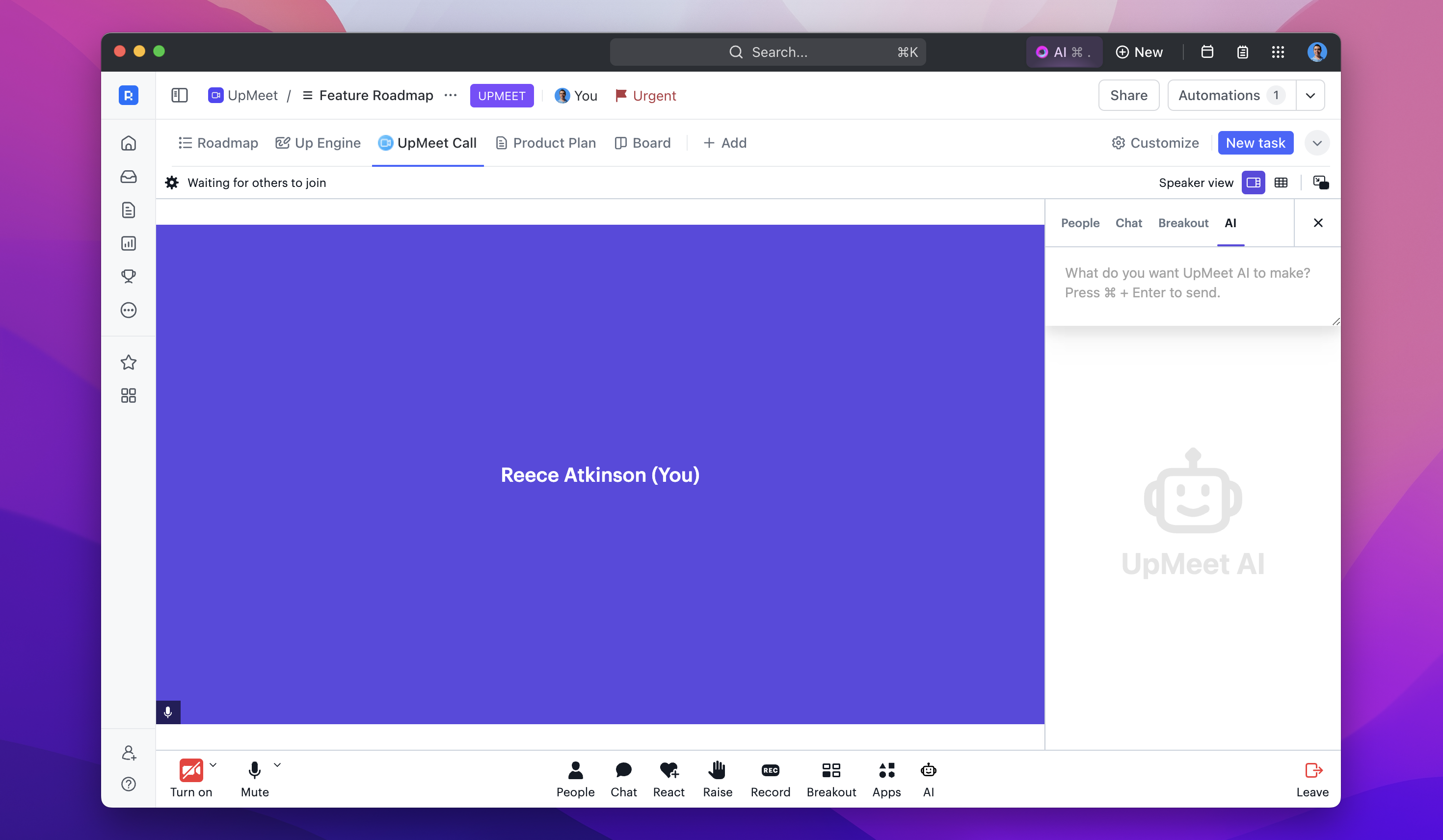
You can use UpMeet in ClickUp lists and dashboards as an embed view. In your UpMeet dashboard you can press the ClickUp button that will copy the link to paste into the embed view setup.
We also have exciting news dropping soon in this area.
 ### Want to see something new?
Send us your suggestions at [team@upmeet.me](mailto:team@upmeet.me) and we'll see if it can be done!
### Having issues with an integration?
If it's an UpMeet specific issue please email [team@upmeet.me](mailto:team@upmeet.me) -- if it's outside of our scope please contact the apps support.
### Want to see something new?
Send us your suggestions at [team@upmeet.me](mailto:team@upmeet.me) and we'll see if it can be done!
### Having issues with an integration?
If it's an UpMeet specific issue please email [team@upmeet.me](mailto:team@upmeet.me) -- if it's outside of our scope please contact the apps support.